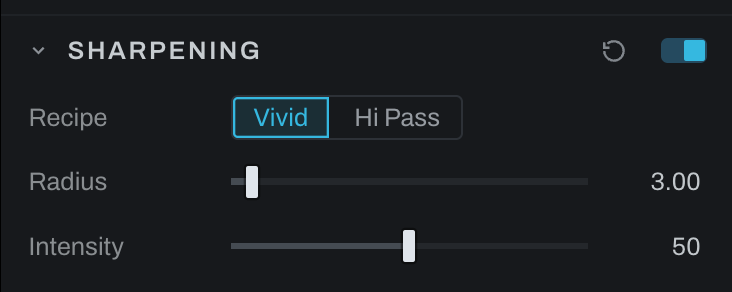
Sharpening
Sharpening is the Develop sharpening recipe as one adjustment, with two methods. It is separate from Detail's ordinary Unsharp control, and since it is one node it can sit on an adjustment layer behind that layer's mask: sharpen the ground and not the clouds, the rocks and not the water.
Methods and controls
- Vivid inverts and blurs the picture and lays it back through Vivid Light, for a crisp, contrast-forward result.
- Hi Pass desaturates the picture, keeps only what is sharper than the radius, and lays that back through Overlay.
- Radius sets edge width in the active method.
- Intensity sets the blend strength of the sharpening result.
Choose the method by result rather than name, inspect at 100%, set Radius for the subject's edge scale, then increase Intensity. Fine texture wants a smaller radius; larger forms tolerate a wider one.
On the Base layer the section applies to the whole photograph; on an adjustment layer it follows the layer's mask, and the section header says which. The section's switch bypasses the node without destroying its settings. In Graph the node is heeler.sharpening; photographs saved when Sharpening was a block of nodes load as the one node with their values carried over.