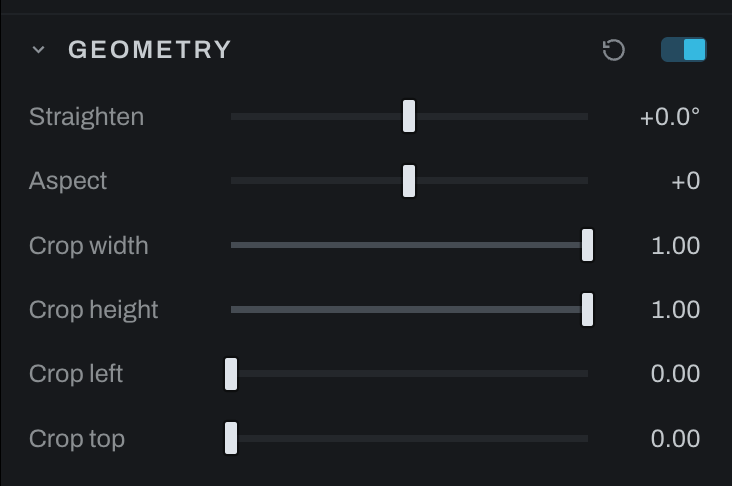
Geometry
Geometry controls image rotation, aspect transformation, and the nondestructive crop rectangle.
Controls
- Straighten rotates the photograph. Use the viewport tool to drag along a line that should be level.
- Aspect changes frame proportions; negative values widen and positive values heighten.
- Crop width and Crop height set the retained size.
- Crop left and Crop top position the retained rectangle.
Geometry starts off, and a photograph carries no geometry node until it is used: switching the section on or making the first crop or straighten drag in the viewport adds it. The viewport crop tool is the normal visual way to edit these values. Numeric rows are useful for matching crops or entering exact geometry. Pixels outside the crop are retained and can be restored.