
Depth of Field
Depth of Field uses inferred depth to simulate optical focus and bokeh.
Controls
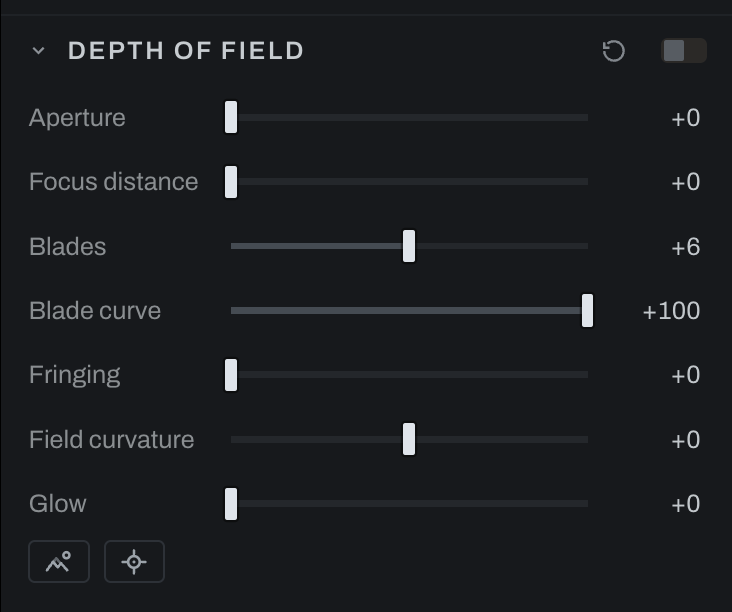
- Aperture controls blur strength.
- Focus distance selects the depth plane that remains sharp.
- Blades sets the number of aperture blades shaping highlights.
- Blade curve changes the roundness of the aperture shape.
- Fringing adds chromatic edge behavior.
- Field curvature bends the focus plane across the frame.
- Glow adds bloom to bright out-of-focus highlights.
Character
The disc's own vices, the vintage-lens bokeh (see Lens Character, which sets these by lens):
- Bubble puts the light on the disc's rim: a flat disc on the left, a bright ring over a hollow centre on the right, the soap-bubble bokeh of a Trioplan.
- Squeeze makes the disc tall (left, the anamorphic oval) or wide (right).
- Swirl stretches discs around the frame's centre the farther out they sit, the spinning field of a Petzval or a Helios. The centre stays round; the edges spin.
All three shape only the out-of-focus discs, so they appear exactly where the lens would have drawn them and nowhere in focus. Open the aperture to see them.
Use the focus picker or Focus distance to place focus on the subject. Increase Aperture gradually, then tune blade shape on visible highlights. Add Fringing and Glow sparingly. Inspect hair, transparent objects, and thin foreground edges, where inferred depth is most likely to need a gentler setting.
Set focus keeps your current focus if you adjust it while the depth read is pending. A newer focus click replaces a pending one. Changing photographs, takes, or presets, or closing the picker, cancels the old answer.