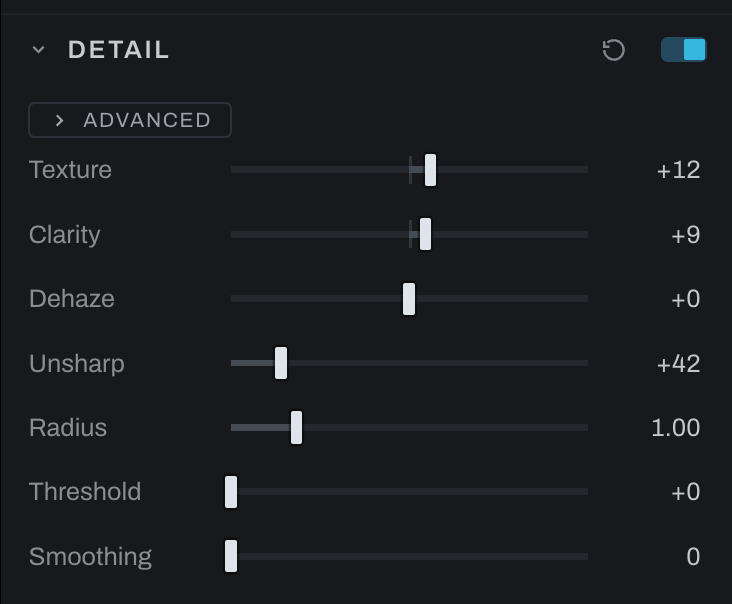
Detail
Detail contains quick texture, local contrast, haze, sharpening, and smoothing controls. Some controls follow the selected Develop layer, making this the place for masked detail work.
Detail is off by default and has no node until its switch builds one. Texture, Clarity and Dehaze live on the Detail node, which sits right after Color in the graph; Unsharp, Radius, Threshold and Smoothing build a Sharpen or Denoise node the first time they move. The section's switch bypasses all of them.
Controls
- Texture emphasizes or softens fine structures.
- Clarity changes mid-scale local contrast.
- Dehaze cuts or adds atmospheric veil.
- Unsharp sets ordinary unsharp-mask strength.
- Radius sets the width of sharpening edges.
- Threshold protects flatter areas from sharpening.
- Smoothing applies a single noise-smoothing strength.
Use Texture for fine detail and Clarity for larger local contrast. Raise Threshold to keep Unsharp away from skin or smooth sky. Keep Smoothing modest; for separate luminance and chroma treatment use Noise Reduction.
When a local-adjustment layer is selected, the quick Unsharp and Smoothing controls operate behind that layer's mask, and so do the Sharpening and Skin Softening sections. The Noise Reduction recipe remains global.