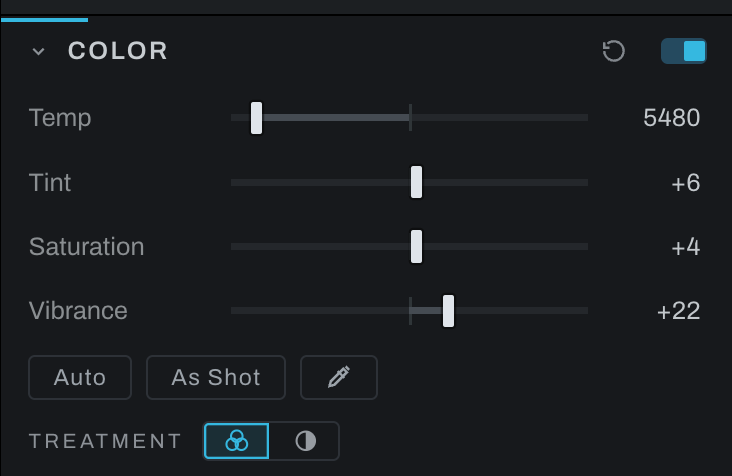
Color
Color handles white balance, overall color intensity, and black-and-white conversion.
Controls
- Temp moves the image between cooler and warmer white balance.
- Tint moves between green and magenta.
- Saturation changes all color intensity uniformly.
- Vibrance emphasizes less-saturated colors while protecting colors that are already strong.
- Auto analyzes the frame and sets available color corrections.
- White-balance eyedropper samples an area that should be neutral.
- Treatment chooses color (three overlapping circles) or black and white (a half-filled circle). Black and white builds the linked monochrome node the first time it is chosen; its channel mixer opens below.
Black and white
The mixer is the simple face: Strength fades between color and mono, and Red, Green and Blue weigh the channels, applied directly, with the running total shown because a total away from 100% brightens or darkens the whole conversion.
The rest of the treatment, the film and its development, the filters, the hue curve and its tools, is on the Black and White page: it is the darkroom, and it has a page of its own.
For white balance, sample a neutral gray or white that is not clipped. Correct Temp and Tint before creative grading. Use Vibrance for a natural increase and Saturation when the whole color palette should move together.